Este artículo solo está disponible en inglés.
Para CRM admins · Actualizado el 20 oct 2026
Connect HubSpot to Scowtt
HubSpot connects through a native connector in the Scowtt app. You authorize access with a standard OAuth login, so no credentials are shared directly with Scowtt.
Before you start
- HubSpot admin access, or someone on your team who has it.
- A login for the Scowtt app from your Sales Rep or Account Manager.
- The lifecycle stages or deal stages you use to track leads to revenue.
Steps
-
Open Integrations in Scowtt
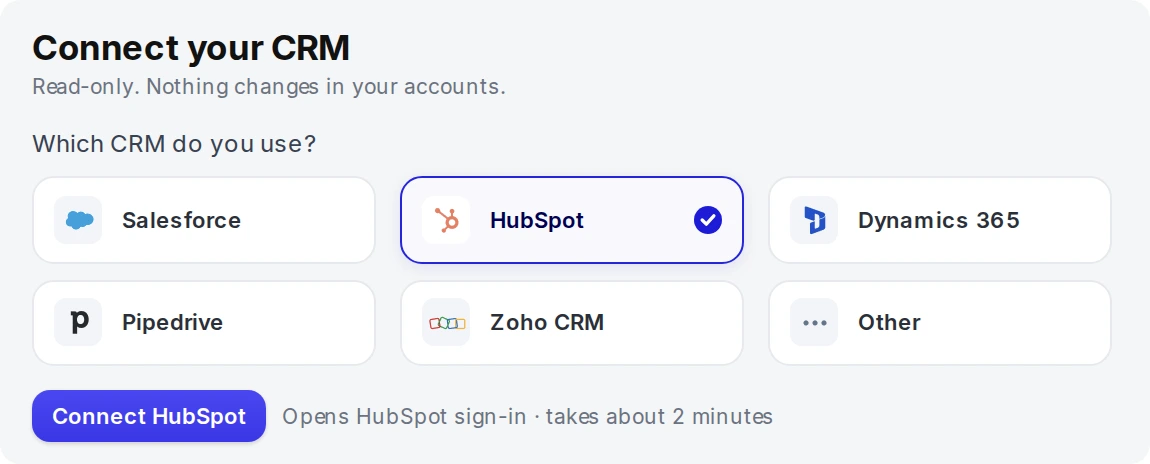
Log in to the Scowtt app and go to Integrations. Under Connect your CRM, select HubSpot, then click Connect HubSpot. It opens the HubSpot sign-in and takes about 2 minutes.
-
Authorize access in HubSpot
Sign in to HubSpot and approve access through the standard OAuth screen.
-
Confirm the connection
Back in the Scowtt app, HubSpot should show as Connected.
-
Map your lifecycle stages
Tell your Scowtt team which HubSpot lifecycle or deal stages match each funnel stage, such as MQL, SQL/SQO and Closed Won.
-
Validate the historical backfill together
Scowtt validates an initial historical backfill with you before turning on recurring updates.